

The End of Windows 10: What It Means for Your PC

Windows 10 support has ended from Microsoft, but what does that mean if your Horizon PC is still running on this operating system?
Most importantly Lely is still supporting Windows 10 until July of 2026. When that time comes there will most likely be a halt to Horizon updates for customers still running on Windows 10. On top of missing new Horizon features, computers still running on Windows 10 will be more prone to security breaches, software compatibility issues, and potentially hardware failure.
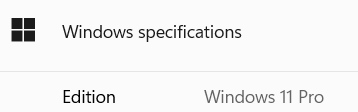
To check what version your PC is running on click the windows key on your keyboard and type in “about your PC”. Click enter and scroll down the page where you will see your windows edition under “Windows specifications”.
If you are still running Windows 10 and want to see if you can upgrade to windows 11, you can download the “PC Health Check” tool from Microsoft’s website. The instructions in the following link might help https://support.microsoft.com/en-us/windows/how-to-use-the-pc-health-check-app-9c8abd9b-03ba-4e67-81ef-36f37caa7844. Once you have installed the PC Health Check tool you can run it and see where your computer stands.
If you are able to upgrade to windows 11 then feel free to do so, or if you’d like, a technician can on their next visit.
However, if you can’t upgrade then you have some decisions to make. Most likely you will see a prompt saying “TPM 2.0 must be supported and enabled on this PC” or “The processor isn’t currently supported for Windows 11”. If you see one of these prompts, it’s probably a good time to start thinking about purchasing a new PC. If you have any questions on what these prompts mean reach out to the service line and one of our technicians can explain.


Comments